
Why update your CamTrace Server ?
A new user interface
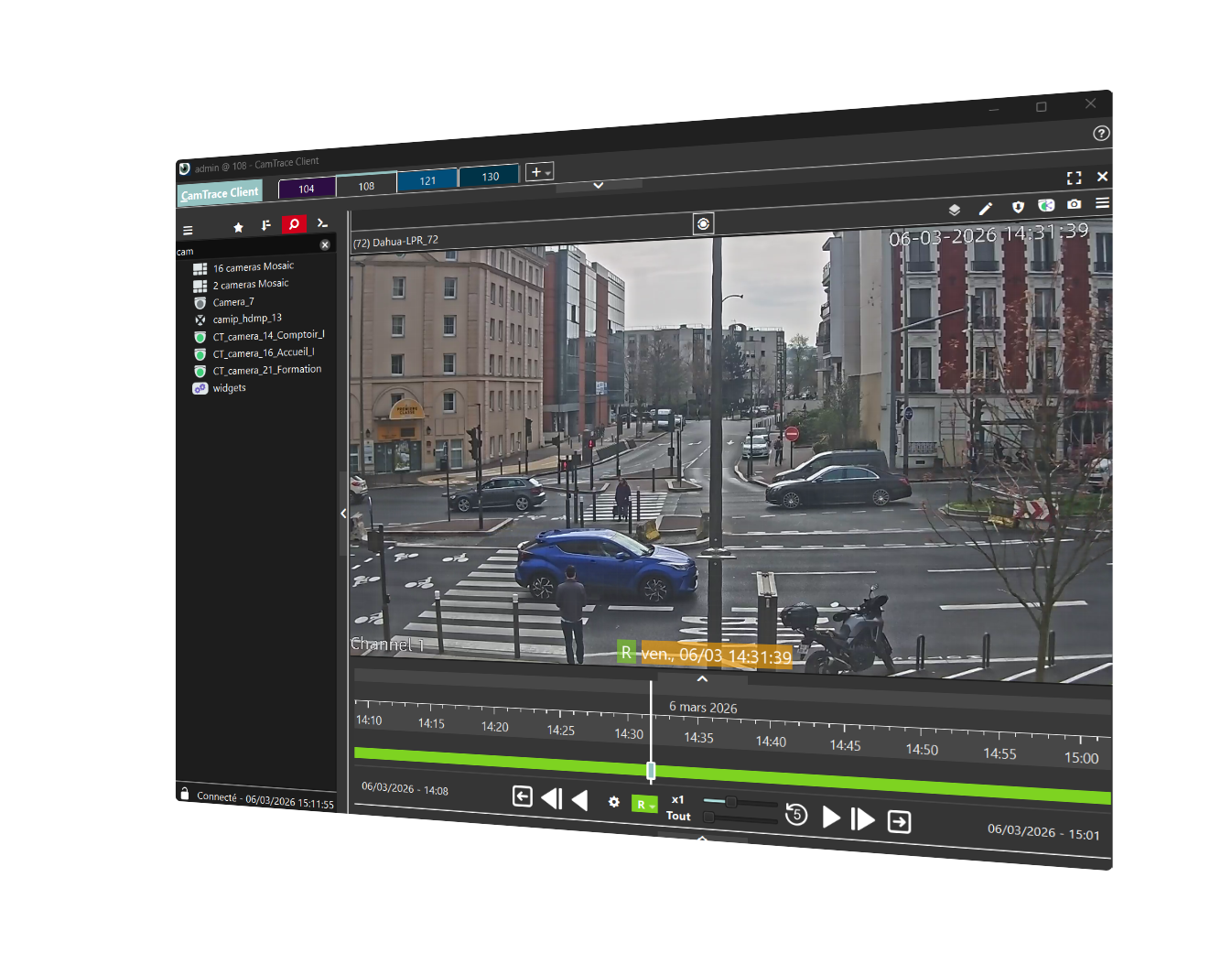
The CamTrace Client software, used by operators, is easy to use
Every feature of CamTrace Client is intuitive and user-friendly, right from the moment you first use the software.
We have redesigned and revised the menu and interface logic for greater clarity.
When you play back a recording, playback smoothness has been improved and the maximum fast-forward speed has been increased. Many new options make searching easier, saving you time.
Not sure how to use a feature? You can watch our video tutorials on YouTube to learn how to use any feature. Each tutorial is available in French and English languages, and the videos are only a few minutes long.
Enhanced Cybersecurity
An obsolete system is a vulnerable system
Switch between cameras with a single click
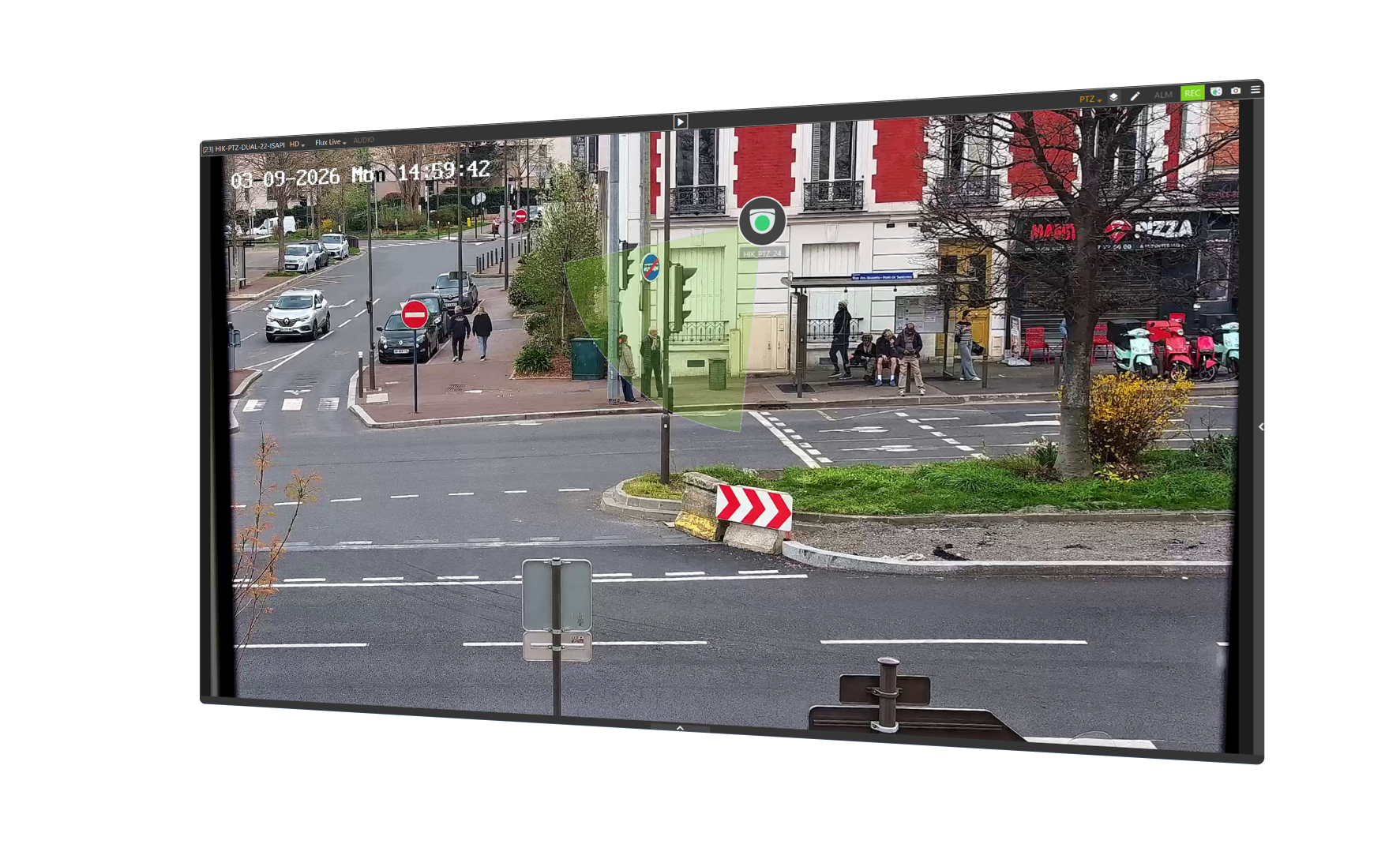
With the feature to add cameras to the video stream
A first camera is filming a second camera in the video feed ? Create a link pointing to that second camera. Then, when you’re viewing the first camera, simply double-click on the second camera’s icon to switch to its view.
Navigating from camera to camera becomes crystal clear, because you no longer need to know the name of a nearby camera to view it : simply click on its icon directly in the video stream. Operators gain in speed and efficiency.
Organize your cameras so you can find them easily
With the Folders feature
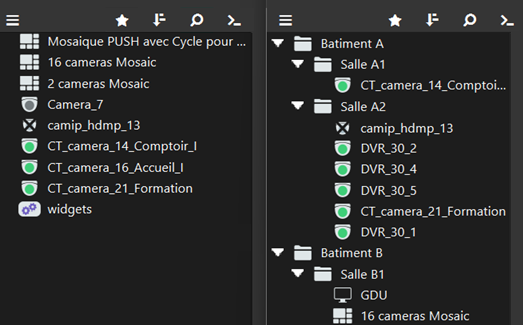
You can now organize your cameras, listed in the left-hand sidebar, into folders. You can create folders based on different locations on your site (Building A, Building B, etc.), or create folders based on camera types (360° cameras, 180° cameras, intercom cameras, etc.). The possibilities are endless : it’s up to you to organize your cameras according to your needs. Finding the right camera at any given moment has never been easier.
Take full advantage of your cameras' AI capabilities
Create simple rules to receive real-time alerts, or perform quick searches
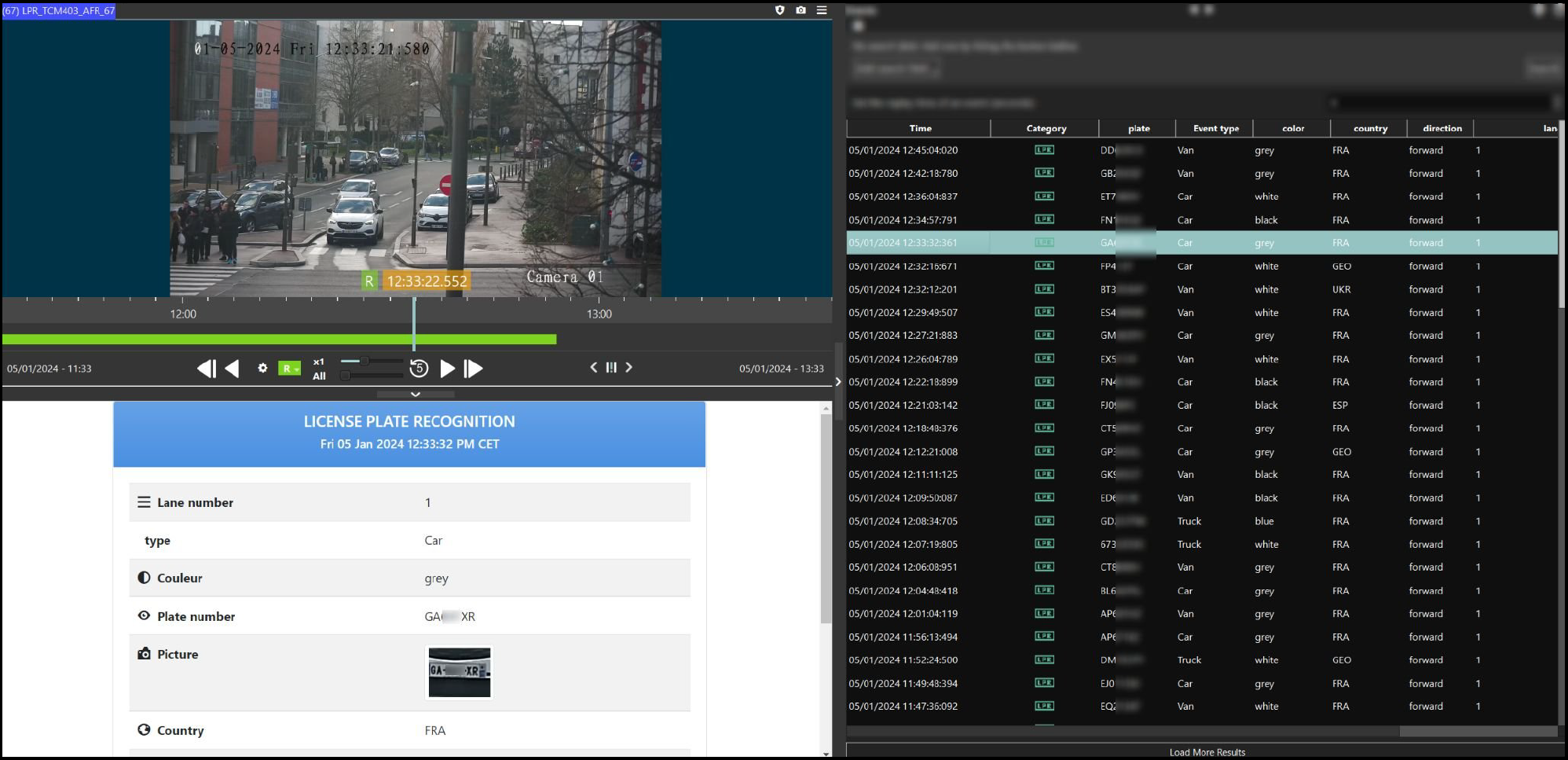
Modern cameras include AI modules that can be activated to capture metadata, such as license plate recognition, facial recognition, and line crossing detection.
The metadata interface provides a clear overview of the captured data. The new search interface allows you to find events instantly.
You also get
a software upgrade process under control

We can guide you through the process of updating your CamTrace server. We will ensure that all prerequisites are met before the upgrade and that the update process is seamless, with minimal downtime.
Technical Support

You can report issues to us through your installer. Our technical team is responsive and can take control remotely if necessary.
Would you like to get a quote for an update? Do you have any questions ?
Contact us !